Guild loot tracking: from raid drops to item delivery
After a raid, officers need to know what dropped, what is still in the guild bank and who received each item. Raidari connects these records so the answer does not depend on someone finding an old chat message.
Follow one item through the workflow
- 01
Record the drop
Add the item and quantity to an event; review any recognized values.
- 02
Choose the recipient
Run an auction, use the store or record an officer decision.
- 03
Confirm delivery
Hand over the item in game and keep the result in guild history.
Record drops and keep the bank current
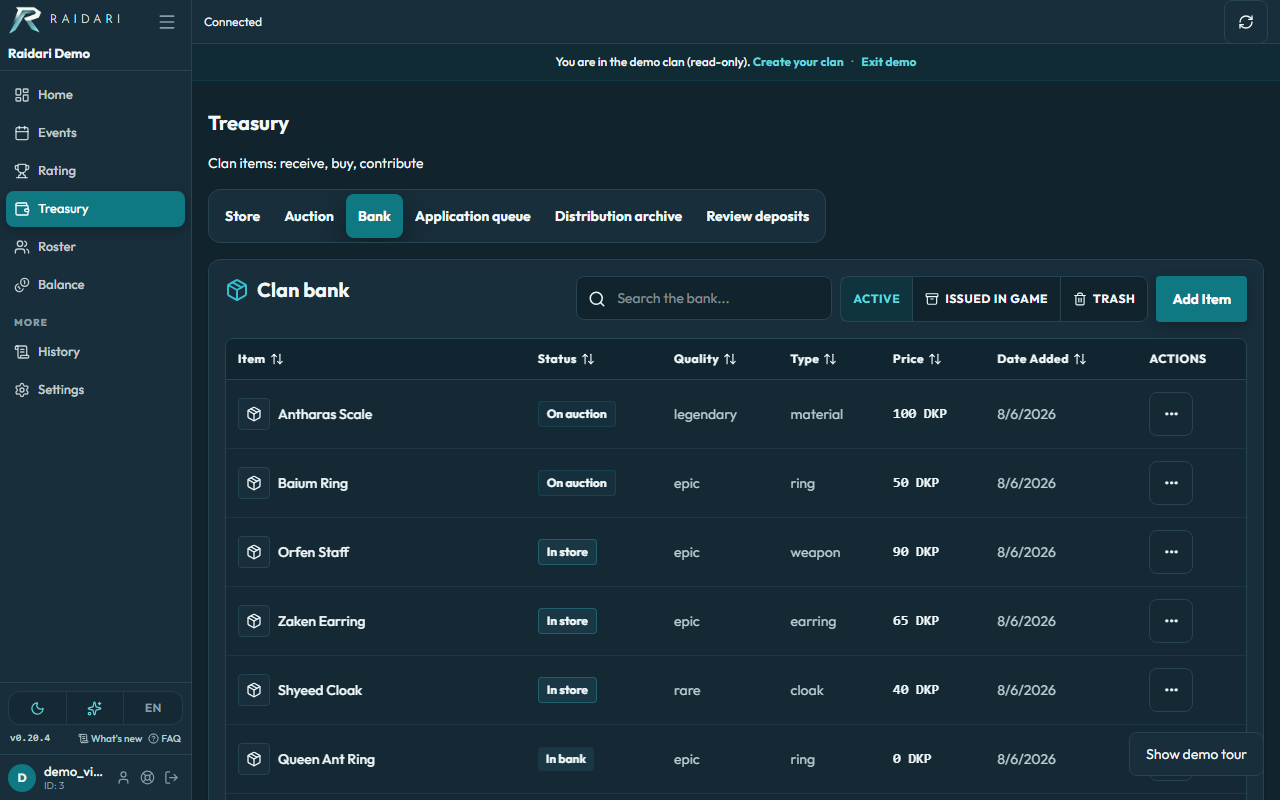
Add event items and check quantities. When working from a screenshot, OCR can help recognize rows; review matches and values before saving. The bank gives officers a place to inspect items available for allocation.
Allocate loot by your guild’s rules
Use a DKP auction, a store with guild prices or Loot Council. An officer decision records the recipient, reason and author without spending points. For a Lineage 2 clan this might be an epic ring; another MMO can use its own items and rules.
Keep a record of who received the item
Allocation history helps officers review a particular result. Confirm the in-game handover separately once the item has actually been delivered. Members see information according to guild permissions, rather than relying on a private officer spreadsheet.
Bring your own MMO item catalog
Create items, prices and rules for Lineage 2, Throne and Liberty or another MMO. Available shared-library entries can give your catalog a head start; coverage varies by game. The web workflow works on desktop and mobile without a game addon.
Raidari records loot and allocation decisions. It does not deliver items in the game or capture every drop automatically. Officers review recognized screenshots before applying them.
Guild loot tracking questions
Can we track loot without DKP?
Yes. Loot Council records the recipient, decision reason and author without deducting DKP.
Does every raider need an addon?
No addon is needed for the web workflow. Officers add items manually or review recognized screenshots; Raidari does not automatically read every drop from the game.
Can we inspect it before signing up?
Yes. The demo button opens the bank of a ready-made demonstration guild, so you can inspect the interface before creating your own.