MMO guild roster management and raid group planning
Who is coming, on which character and in which group? Raidari helps guild leaders and officers maintain their character roster and prepare groups for a specific event, without reconciling several chat lists.
From a character list to a prepared raid
- 01
Prepare characters
Add members, roles and the attributes your guild needs.
- 02
Collect event responses
Find out who plans to join the specific event.
- 03
Arrange the groups
Review roles and verify actual participation before awards.
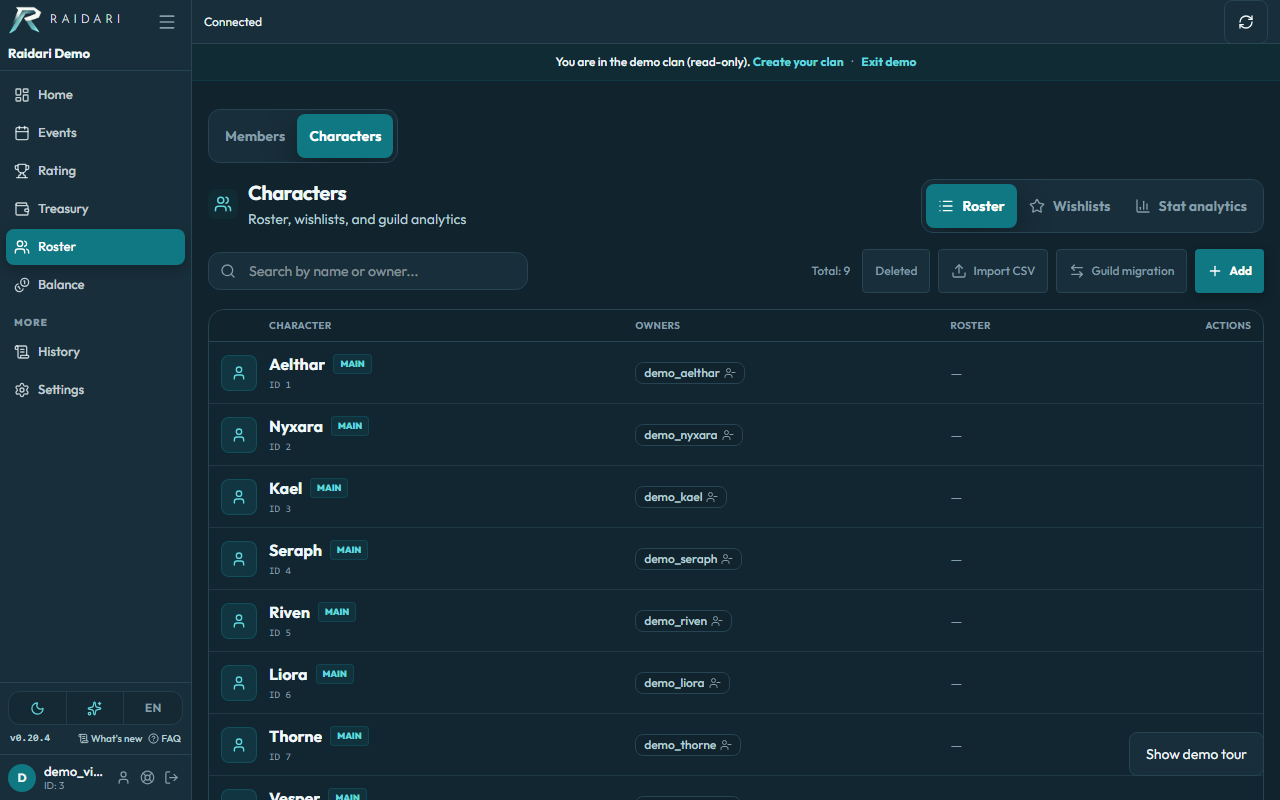
Keep a shared character roster
Manage characters, roles and the attributes configured by your guild. Member accounts and characters are separate, so mains and alts do not have to be confused with different people. Officer actions depend on guild permissions.
Prepare groups before the raid
Create an event, collect member responses and organize characters into groups. A Lineage 2 clan might prepare a constant party for an epic boss; another MMO can organize its own raid roles. Guild membership, event signup and actual attendance are separate records.
Compare the plan with actual participation
During the event, review code or screenshot check-ins under guild rules. OCR can help match character names from screenshots, but officers still review recognized rows. Being listed in the guild roster does not automatically confirm raid attendance.
Bring your existing roster
Build the roster manually or import a spreadsheet with reviewed column mappings. Check the results, invite members and run your first event. Prepare groups on desktop and review available information and actions on mobile.
Configure roles and character attributes for your guild. Roster membership does not automatically prove attendance or synchronize character data from the game client.
Guild roster questions
Can one member have several characters?
Yes. Raidari separates member accounts from characters, so mains and alternate characters can be represented in the roster.
Is this only for Lineage 2?
No. Choose the game when creating a guild and configure your own attributes and rules. Shared-library coverage and screenshot recognition depend on the game.
Are the roster and attendance the same thing?
No. The roster lists guild characters, signups describe event plans, and attendance is verified separately under event rules.